

 Daniel J Sait
The FOLAIDA Technical Team provides a check-list for the process for identifying the issue when a single HDMI matrix output goes black.
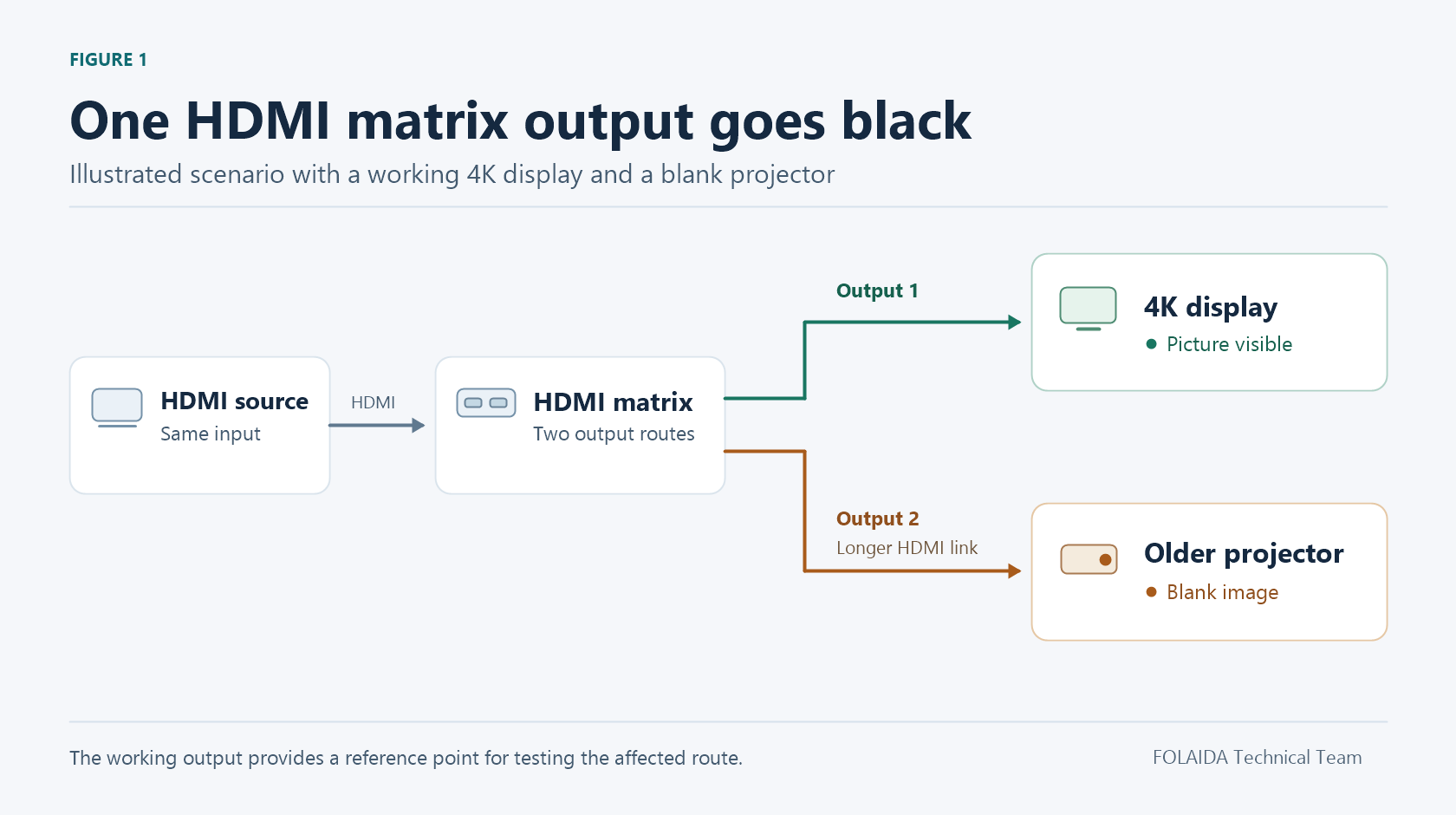
A 4K television keeps playing while the older projector on another matrix output goes black. Start with a replacement HDMI lead, check the video format, then select the intended source again in the control software. If the projector stays black, swap the two output connections at the matrix. The working television gives you a reference for finding out whether the fault follows the port or stays with the display route.
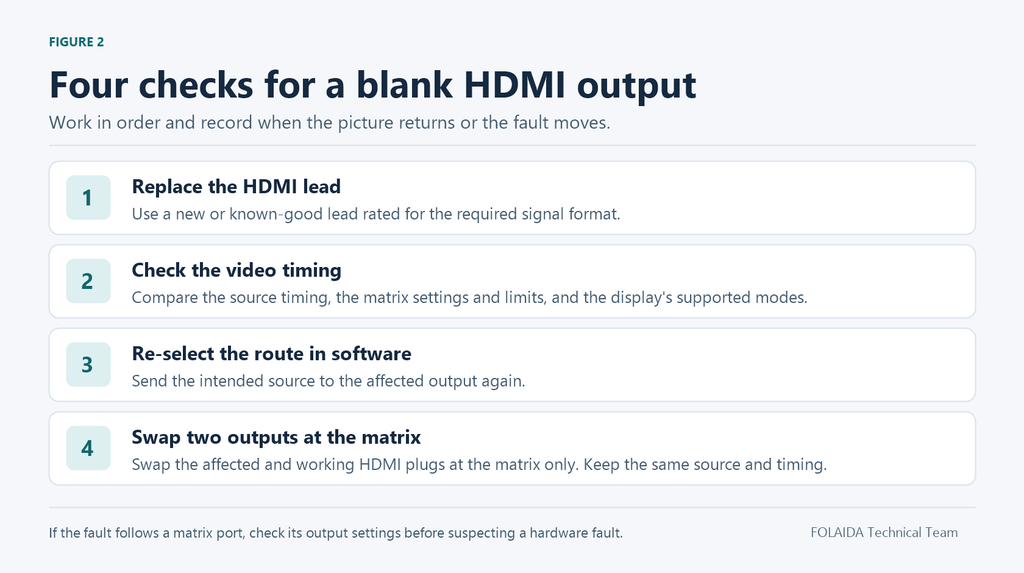
1. Replace the HDMI Lead
Record the source number and the affected output, then replace the HDMI lead on the black-screen route with a new or known-good cable rated for the video format in use. Seat both connectors fully and repeat the same operation that produced the fault. If the display reports ‘No signal’, record that message. If it shows a valid input timing with a black picture, record the timing as well.
For an installed run that is hard to replace, try a short, proven cable and a nearby display that accepts the same signal. This makes it possible to test the port locally. If the local test passes, reconnect the installed path and check any wall plate, coupler or extender separately.
2. Check the Source Matrix and Display Formats
Read the resolution and refresh rate the source is actually sending. Check that the matrix accepts that input format and that the signal leaving the affected output falls within the display’s supported formats. On a pass-through route, the source timing must work across the full path. With independent output scaling, verify that the matrix is set to send a format the projector accepts. Check the display’s input information where available.
For a mixed 4K and 1080p system, a mutually supported timing such as 1080p at 60 Hz in standard dynamic range can provide a baseline if every device on the test route supports it. Save the original settings before changing the input EDID, which tells the source what formats it can use. A shared source may change format on the working television too.
3. Select the Intended Source Again in Software
Open the matrix control software. Select the affected output, select the intended input and apply the route again. Check that the routing screen shows the expected input and that output mute or blanking is off. A preset recall or another operator may have changed the route. If the picture returns, repeat the switch or preset that preceded the black screen and check whether it sends the intended source to that output.
4. Swap the Two HDMI Connections at the Matrix
Label the two leads and route the same known-good source to both ports at a timing both displays support. Exchange the two HDMI plugs at the matrix end only. Leave each display attached to its own cable and any extender. The projector is now connected to the previously working port, and the working television is connected to the suspect port.
If the projector comes on and the television goes black, the fault has followed the physical matrix port. Compare the two ports’ routing, mute and scaler settings, then retest the suspect port with the known-good television and cable at the same supported timing. If that combination still fails on the suspect port and works on the other port, a hardware fault in the matrix output is likely.
If the projector stays black and the television still works after the swap, the fault has stayed with the projector route. Check the projector’s selected input, the cable run and any extender. If a local test image works but protected video fails at the same timing, check HDCP authentication along that route. When the fault is resolved, restore the original connections and verify both outputs with the intended sources and formats.