

 Daniel J Sait
From site survey to system design, digital tools are changing the custom install workflow. Data visualization agency Synergy Codes delves into the details.
AV projects move fast, but the path from field data to final design often does not. A site survey may happen in a few hours, while the follow-up work stretches across drawings, revisions and client updates. That gap matters because small inconsistencies early on can turn into expensive changes later. This is where purpose-built digital tools are starting to change the workflow.
Why the survey-to-design handoff is still a bottleneck
Teams gather measurements, photos, infrastructure notes, client priorities and constraints. That input then needs to become a system concept, device list, diagrams and documentation the rest of the team can trust.
The challenge is not the amount of input. It is the gap between raw field data and structured design work. When information moves across separate files, email threads or manually updated drawings, details can drift. A change in one place may not carry through to the schematic, BOM or proposal. That is where delays begin.
What ‘Digital Tools’ means in the custom install workflow?
In this context, digital tools means more than drawing software. It refers to purpose-built systems that help teams capture requirements, structure project data and turn that data into consistent outputs across the workflow.
Custom AV digital tool can aggregate:
- survey inputs,
- equipment libraries,
- connection rules,
- diagram generation,
- BOM creation,
- proposal support,
- version control,
- handoff documentation.
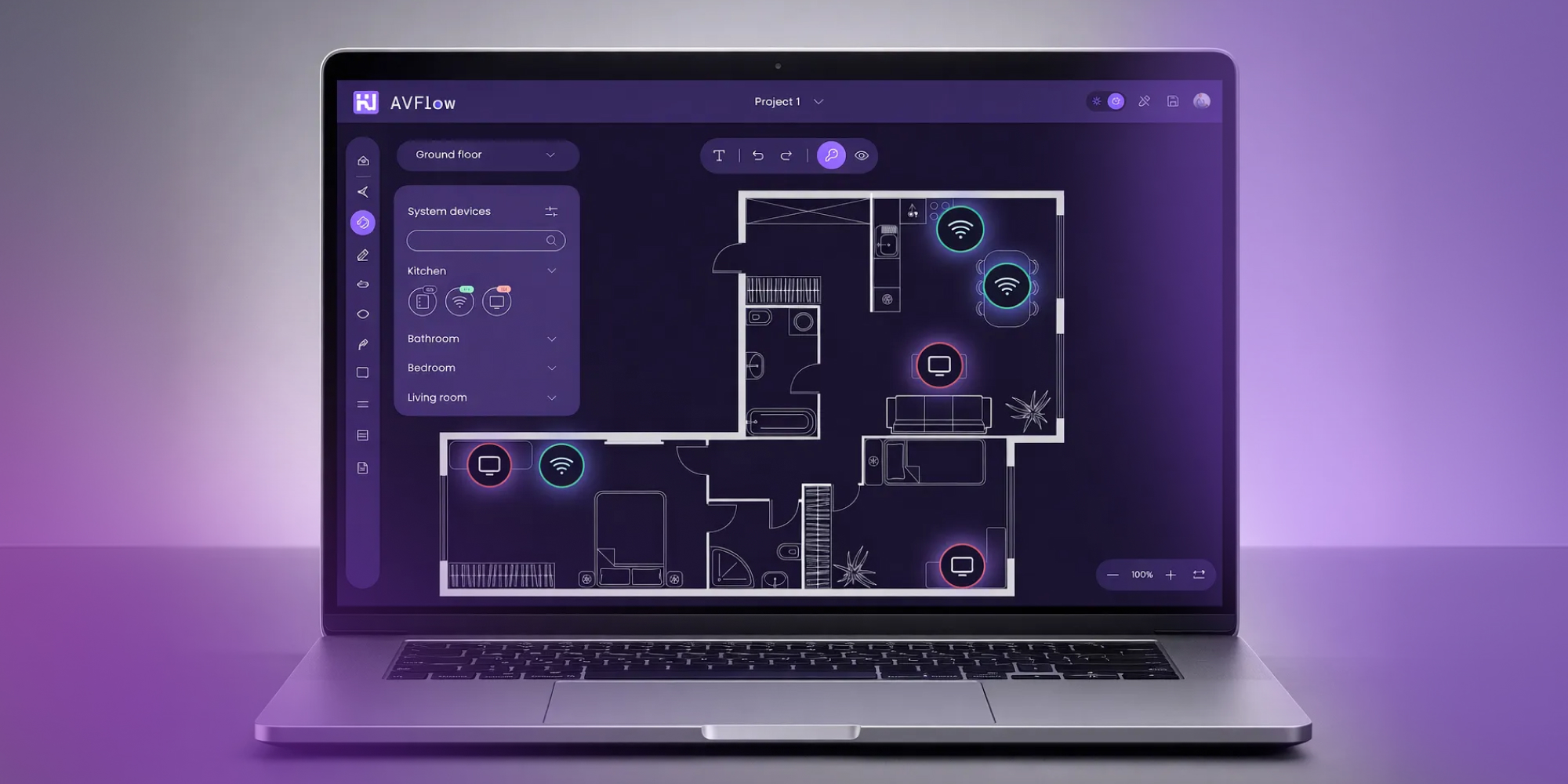
Purpose-built AV tools bring floor plans, device libraries, and system data into a single workspace. Source: Synergy Codes
From site survey to system design – a practical, modern flow
In a more connected AV workflow, the site survey is not just an early checkpoint. It becomes the foundation for the next stages of the project, from system design to documentation. The point is to carry forward the same information in a structured way, so teams can work from consistent inputs as the project develops.
Capturing site data and requirements
The process starts with turning the site survey into usable project input. That includes measurements, room zones, existing infrastructure, client priorities and practical site constraints.
Standardising inputs with templates, checklists, and libraries
The next step is to structure that input in a consistent way. Templates, checklists, and equipment libraries help teams describe spaces, devices, and requirements using the same logic across projects. This creates a clearer base for design and reduces the risk that important details get lost during work.
Building the system around a shared data model
Once the input is structured, the system can be built in a data-first way. This gives teams one reliable source for devices, signal paths and connection logic, which makes updates easier to manage and helps keep drawings, BOMs and other outputs aligned.
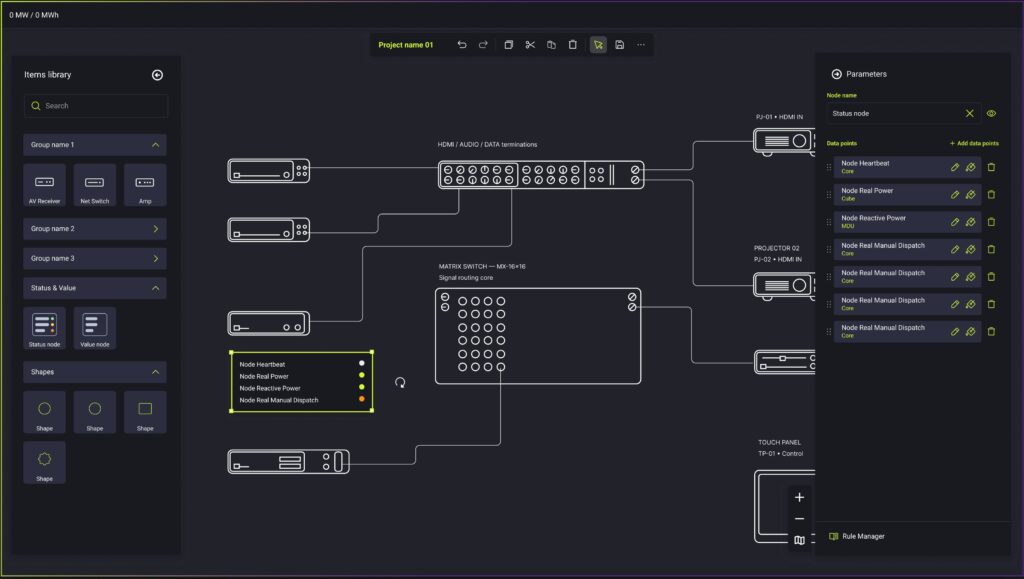
A system schematic built on a shared data model — devices, signal paths, and status monitoring managed from a single source of truth. Source: Synergy Codes
From there, the system can generate simple schematics from device data and connection rules. That helps teams start projects faster, supports pre-sales, early design work, and reduces the amount of repetitive work.
Keeping Documentation Aligned
The same model can also support project documentation. Schematics, bills of materials and proposal-related outputs can stay aligned because they are based on the same source data. That gives both internal teams and clients a more consistent picture of the system.
Managing revisions with version control and change tracking
Versioning and change tracking add another layer of control. When teams can see what changed and when, they can manage revisions with less confusion.
Why purpose-built av tools reduce manual work and rework
The main effect is better consistency across the workflow. When diagrams, BOMs and proposal inputs are based on the same project data, teams do fewer manual updates and face less risk of mismatch between outputs.
This also makes changes easier to manage. When the scope shifts, designers can review and refine generated outputs instead of redrawing everything by hand. That reduces repetitive work and leaves more time for complex decisions and project-specific problem-solving.
Synergy Codes builds custom platforms for AV and has experience helping teams connect data, documentation, and revisions in one process. For one Synergy Codes client, the impact was clear: their team was able to prepare technical drawings 10x faster.
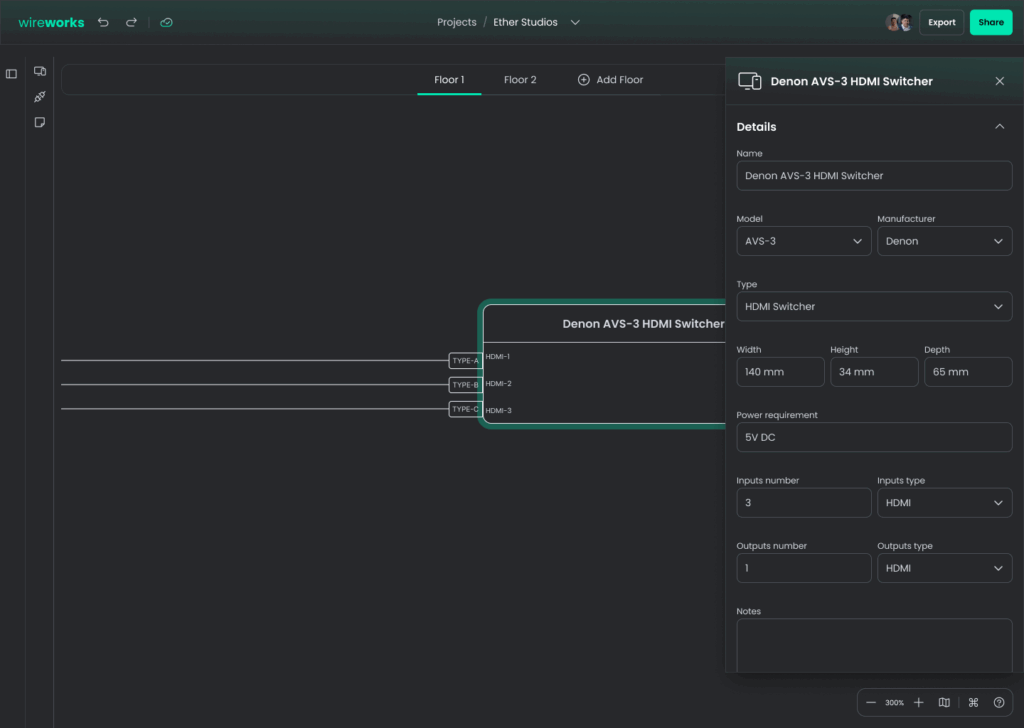
Device data, connection logic, and technical specs in one view – an example of how generated outputs reduce manual drawing and support faster revisions. Source: Synergy Codes
A more connected way to move from survey to design
Custom digital tool can shorten the path from site survey to complete design when they act as a single source of truth for project data. With devices, connections, and logic managed in one place, teams can produce drawings, BOMs, and proposals with less manual rework and better consistency.
This approach also makes project data more useful after installation, supporting service, updates, and maintenance. Synergy Codes develops configurable platforms that support this kind of AV workflow. If you want to see what a more modern, purpose-built approach can look like, explore Custom AV design and proposal software.